
Free combat tracker for D&D
Track every combatant’s HP and conditions, get a reminder for each concentration save, and keep a log of the whole fight.
- Free
- No account needed
- Saved in your browser
What it tracks in an encounter
Every combatant
- HP
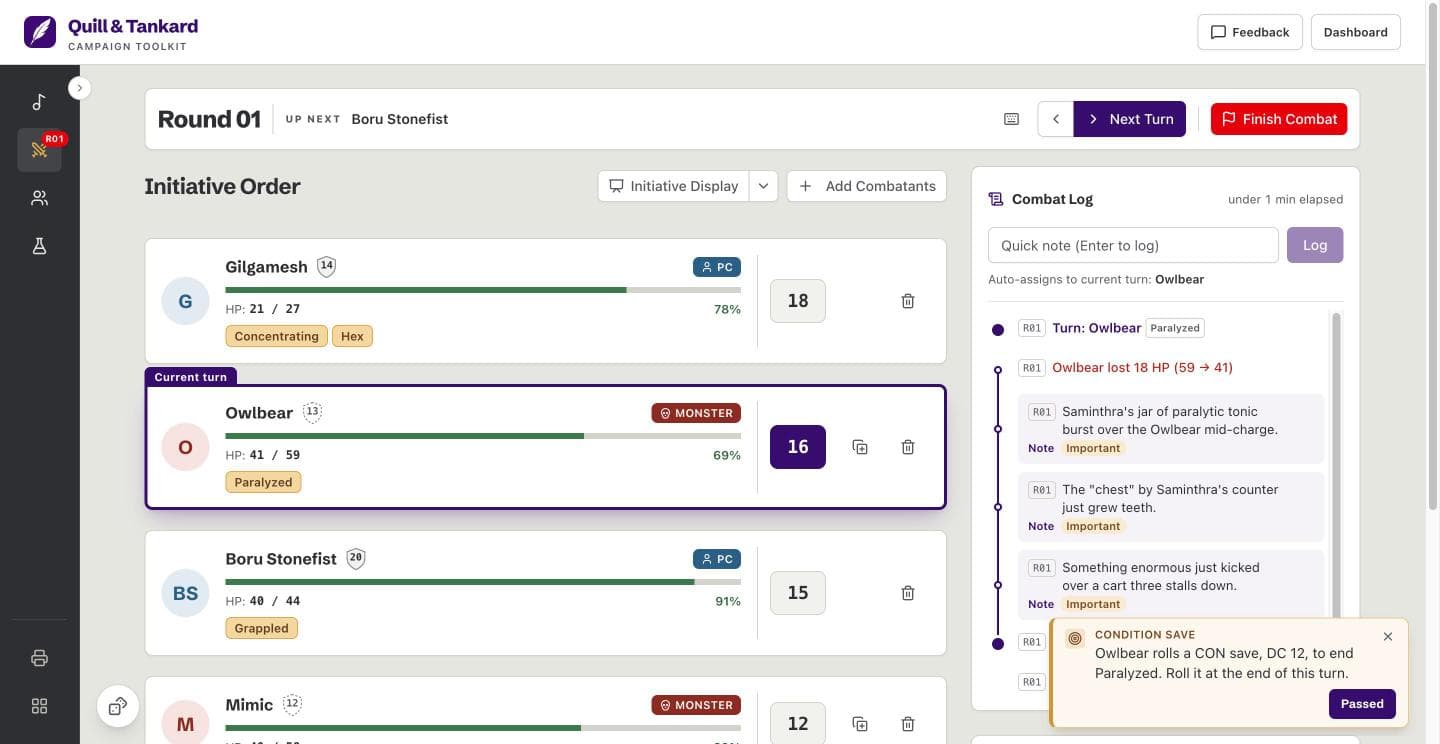
- Each combatant shows current and max HP as a bar. Leave HP blank for a creature you do not track. A combatant you add from your roster writes its HP back to that character.
- Downed combatants
- A combatant at 0 HP is downed but keeps its place in the order. The log records when it drops and when it gets back up.
- Condition tags
- Pick one of the 15 official conditions, a common effect such as “Blessed” or “Hasted”, or type your own. A tag has no duration. It stays until you clear it or a save ends it.
Save reminders
- Concentration saves
- When a concentrating combatant loses HP, the tracker reminds you of the CON save. The DC is half the HP lost, rounded down, from 10 to 30. At 0 HP, concentration ends.
- Condition saves
- Give a condition tag a save, such as a WIS save, DC 15, at the end of each turn. On that combatant’s turn, the tracker reminds you. Press “Passed”, and the tag ends.
The order
- Initiative order and turns
- Combatants act from the highest initiative to the lowest. “Roll opponents” rolls for every NPC and monster, and “Next Turn” moves the fight along one round at a time.
- Initiative display
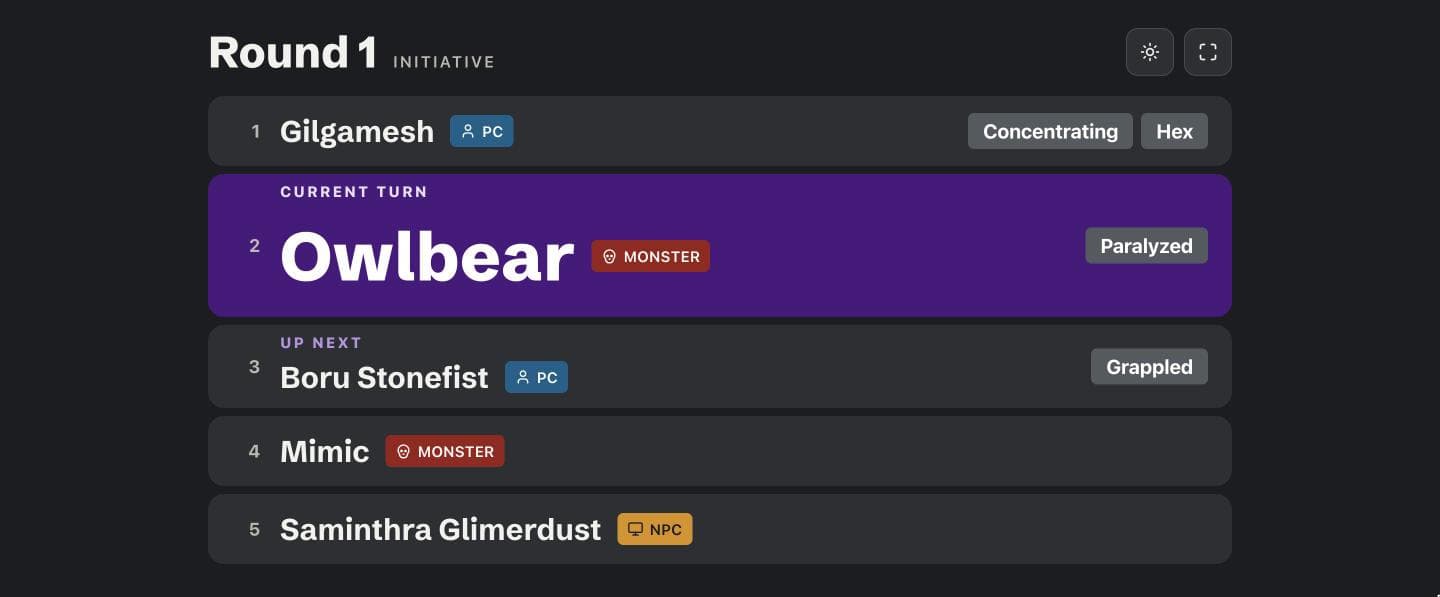
- Put a second window on a TV or a second monitor for your players. It shows the order, whose turn it is, condition tags, and downed combatants, but never HP amounts.
The record
- Combat log
- Every turn, HP change, condition tag, passed condition save, and lost concentration goes in the log, marked with its round. Type a quick note, and it joins the current turn.
- Past encounters
- Finish a fight, and the tracker keeps it with its combat log, its combatants, and how long each round took at the table. Each campaign keeps its last ten.
Run a fight in three steps
Build the encounter
Import your PCs from the roster, then add the monsters. Press “Duplicate monster” to add more of the same kind.
Track the fight
Change HP as damage and healing land, and add condition tags as effects hit. When a save reminder appears, roll at the table. Press “Passed” on a condition save to end its tag, or “Failed” on a concentration save to drop concentration.
Finish and look back
Press “Finish Combat” when the fight is over. The encounter moves to your past encounters, where you can read its log.
Questions
Does it track conditions and concentration?
Yes, each combatant carries condition tags, and the tracker reminds you of a concentration save when a concentrating combatant loses HP. It never rolls a save for you. Your table rolls. A passed condition save ends its tag, and a failed concentration save removes the “Concentrating” tag.
Can I see what happened last round?
Yes, the combat log lists every turn, HP change, condition tag, and note, grouped by round. An HP entry shows the amount and the HP before and after, such as “Ogre lost 12 HP (40 -> 28)”. The log keeps the newest 250 entries of each encounter.
Can I read back a finished encounter?
Yes, every finished encounter becomes a past encounter with its full combat log. Its summary shows when it started and ended, its rounds and combatants, and its average and longest round. Each campaign keeps its last ten. You can rename or delete each one, but not resume it.
Can I stop a fight and finish it next session?
Yes, an encounter stays open until you press “Finish Combat”, even if you close the browser. When you come back, it is on the same round and the same turn. A round longer than two hours shows as a break, not as a length.
Does it track temporary hit points?
No, temporary hit points have no number of their own. Add the “Temp HP” condition tag as a reminder, and take damage off it yourself.