Run your campaign sessions from one browser tab.
A session toolkit for 5e Game Masters
Sounds, initiative/combat, characters, and items for the Game Master at the table. No switching tabs, shuffling papers, or fumbling for notes mid-session.
- Free
- No account needed
- Saved in your browser
Export your Campaigns at any time. How your data is stored
The Tools
Everything you need in one tab.
Built for a laptop at the table. Players only ever see an item you share with them.
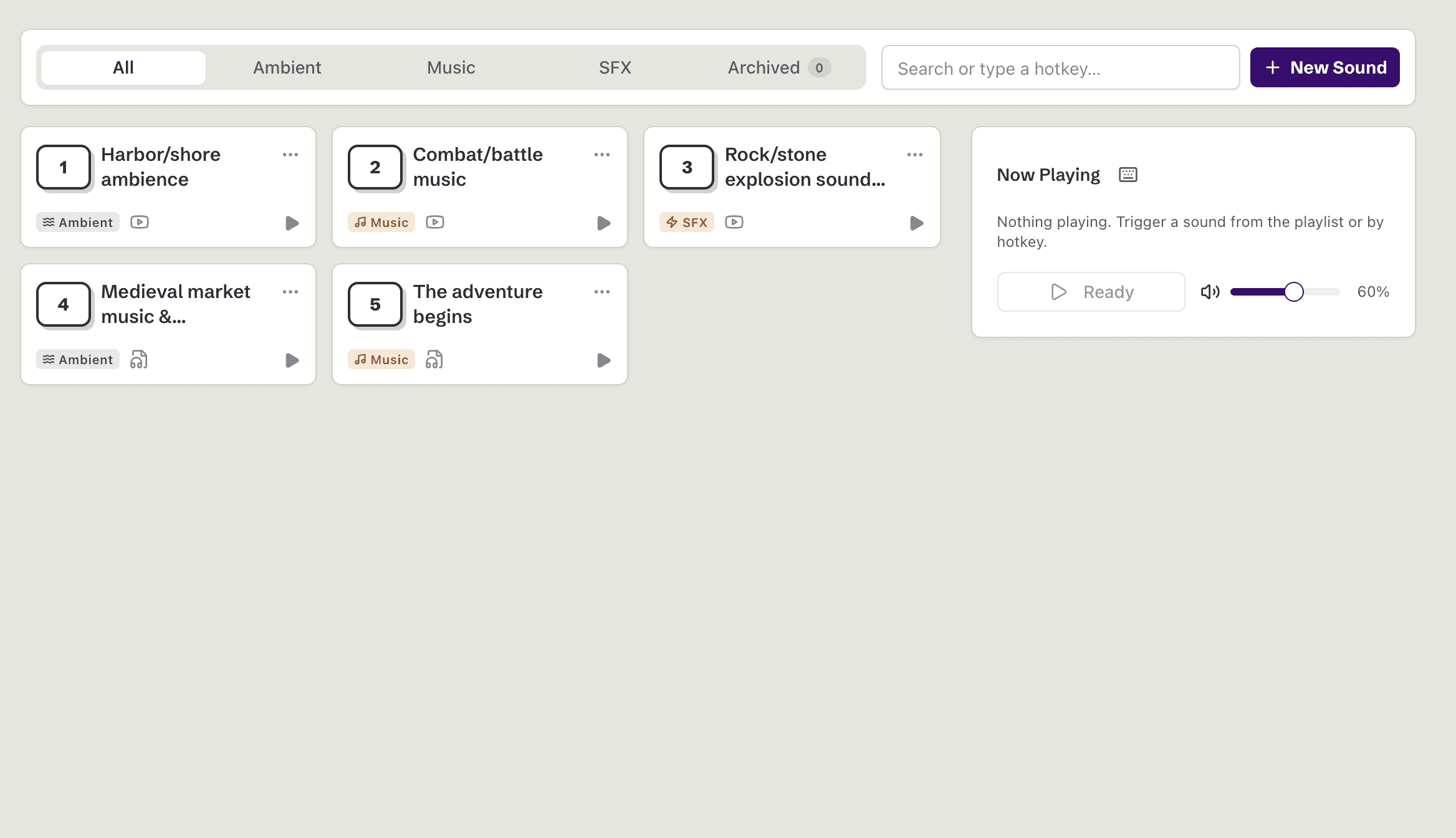
Soundboard
Trigger ambience, music, and sound effects with hotkeys, from anywhere in the app while you're running a session.
Shortcuts
- Play a sound from the start1
- Pause or resume the current soundShiftP
- Stop all soundsShiftS
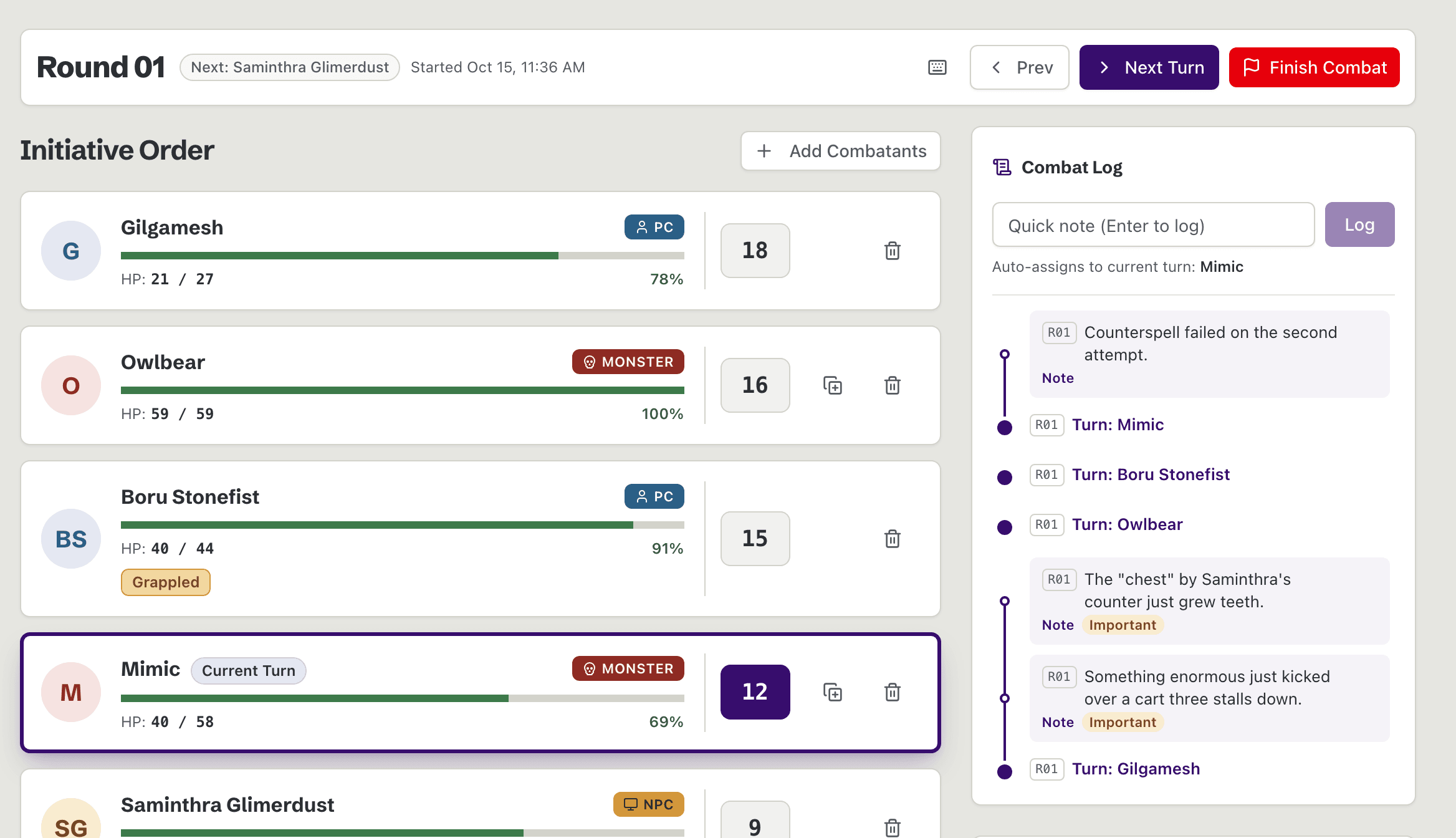
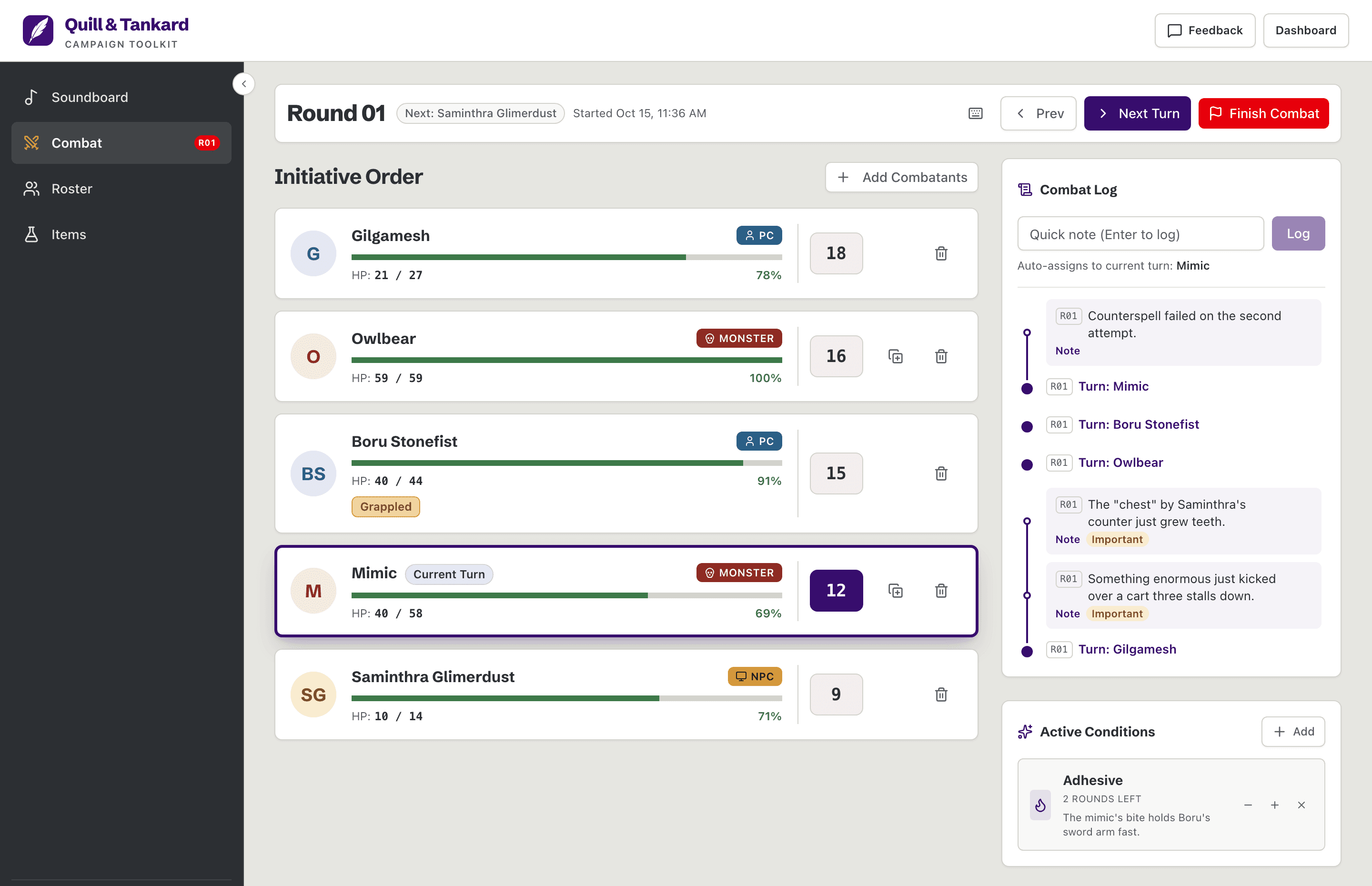
Combat Tracker
Run initiative, turns, conditions, and encounter flow. Track the history with the combat log, and hover any card to preview a character mid-fight.
Shortcuts
- Next turn→
- Previous turn←
- Open current combatantEnter
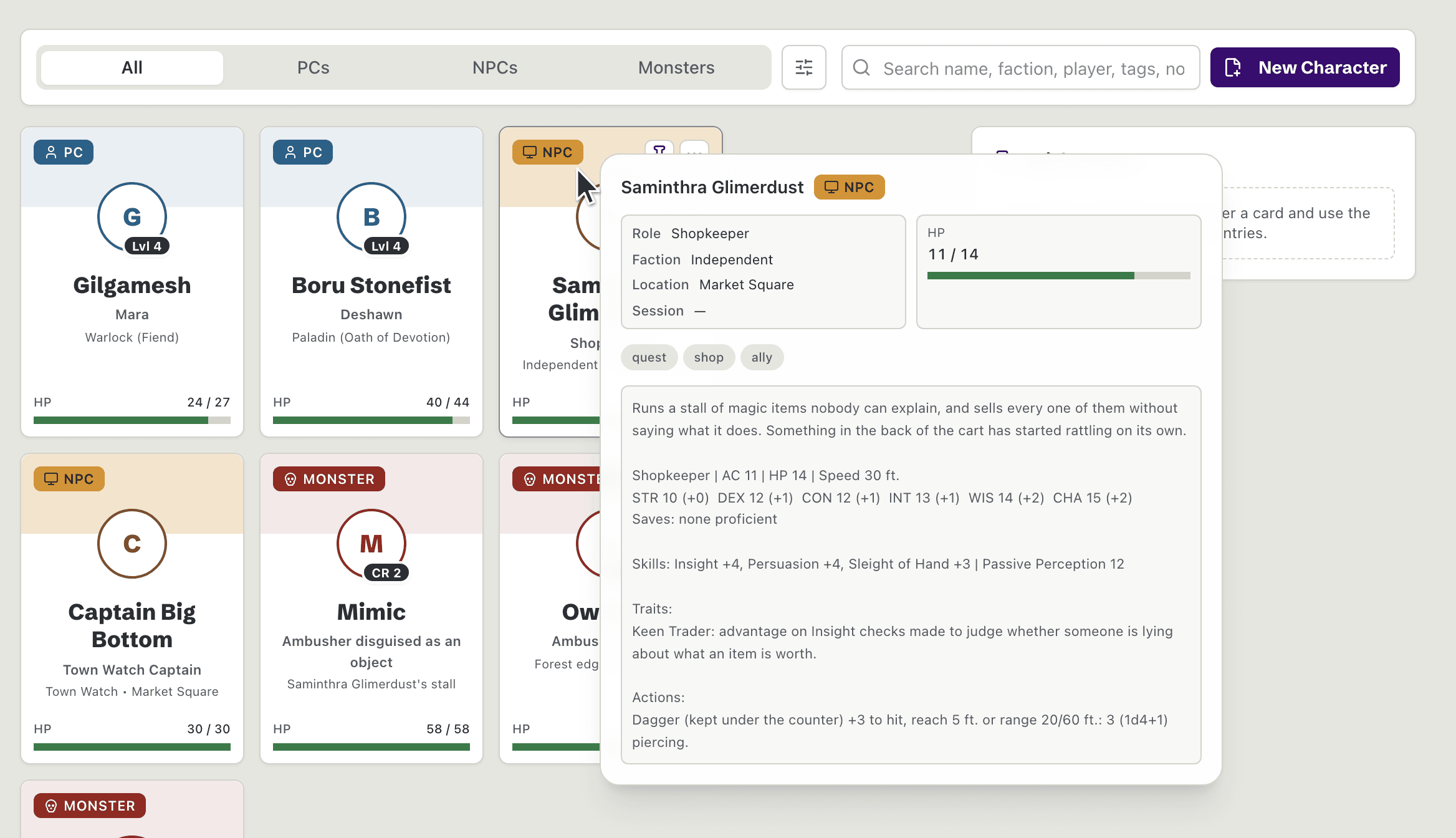
Roster
Manage PCs, NPCs, and monsters in one campaign roster. Hover any card to preview a character's full details.
Shortcuts
- Open RosterCtrlAlt3
- Close character previewEsc
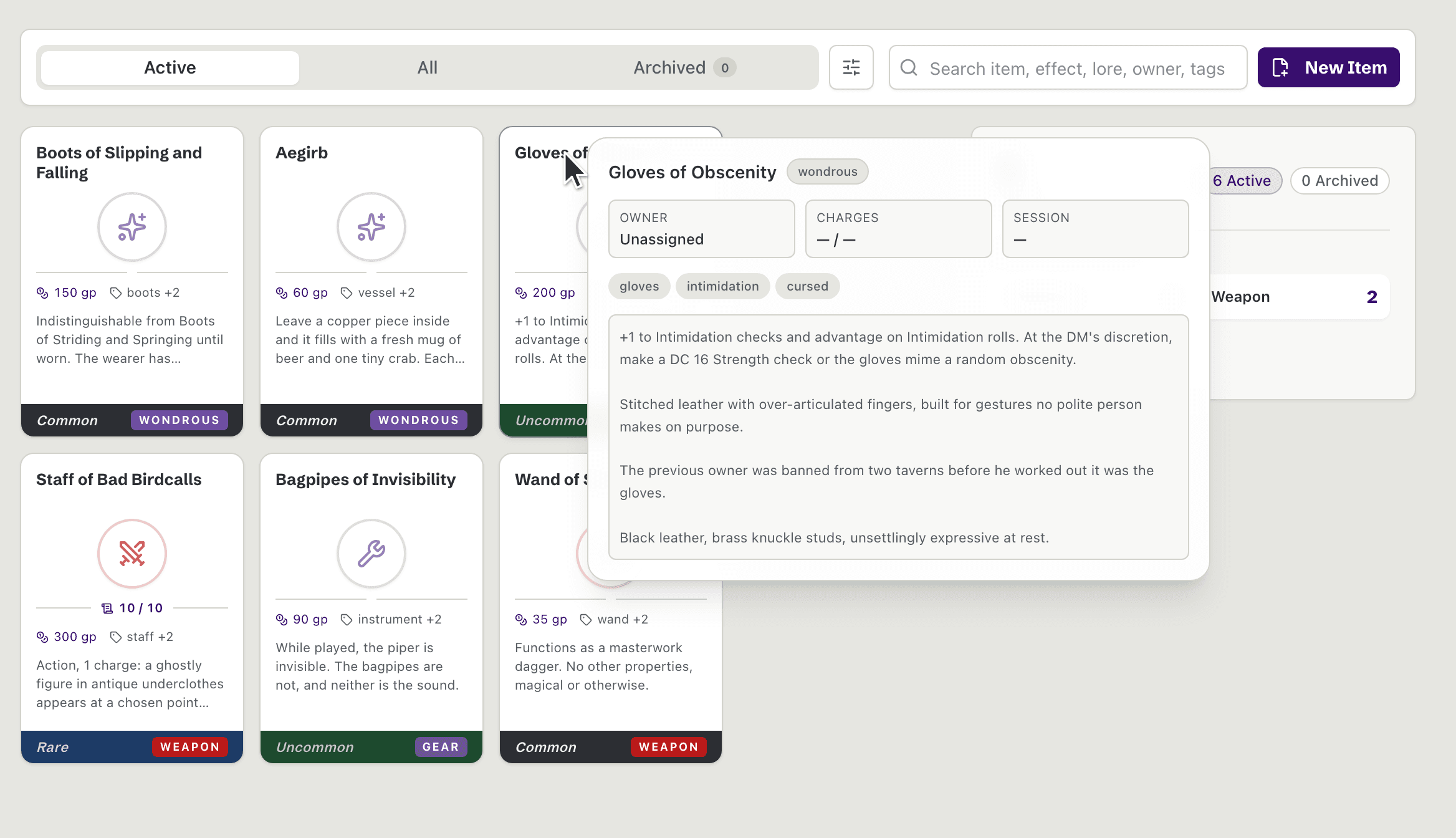
Item Tracker
Track homebrew gear, ownership, and rarity at a glance. Share any item with your players as a read-only link. They need no account, and your GM notes stay private.
Shortcuts
- Open ItemsCtrlAlt4
- Close item previewEsc
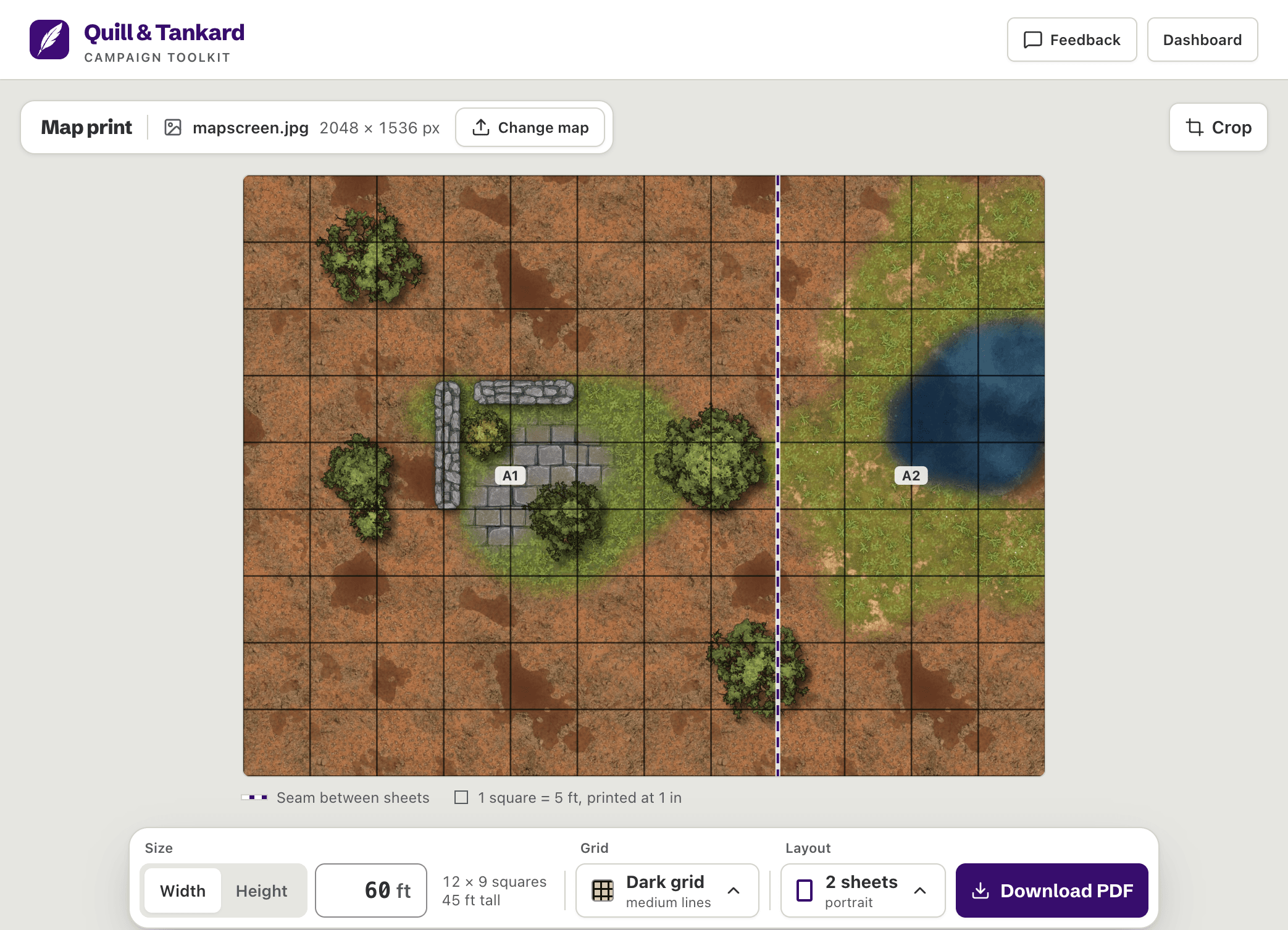
Print any battle map at correct scale.
Add a battle map image and enter its width in feet. You get a PDF that prints each 5 ft square as 1 in, on as many sheets of paper as it needs.
- Every sheet joins on a grid line so no square is split
- Labels, cut marks, and an assembly sheet show where each sheet goes
- Your battle map never leaves this browser
Free. No account or campaign needed.