
Free D&D dice roller
Pick dice, add a modifier, and roll for your table right here, with no account and no setup.
Pick dice
Pick dice above
Pick dice, then press Roll
- Free
- No account needed
- Saved in your browser
What else the toolkit does at your table
The same dice roller
- Dice roller in every tool
- The dice roller on this page opens from every tool in your campaign. Press its dice button, or Cmd/Ctrl+Shift+D. It keeps the modifier and advantage setting you chose here, in the same browser.
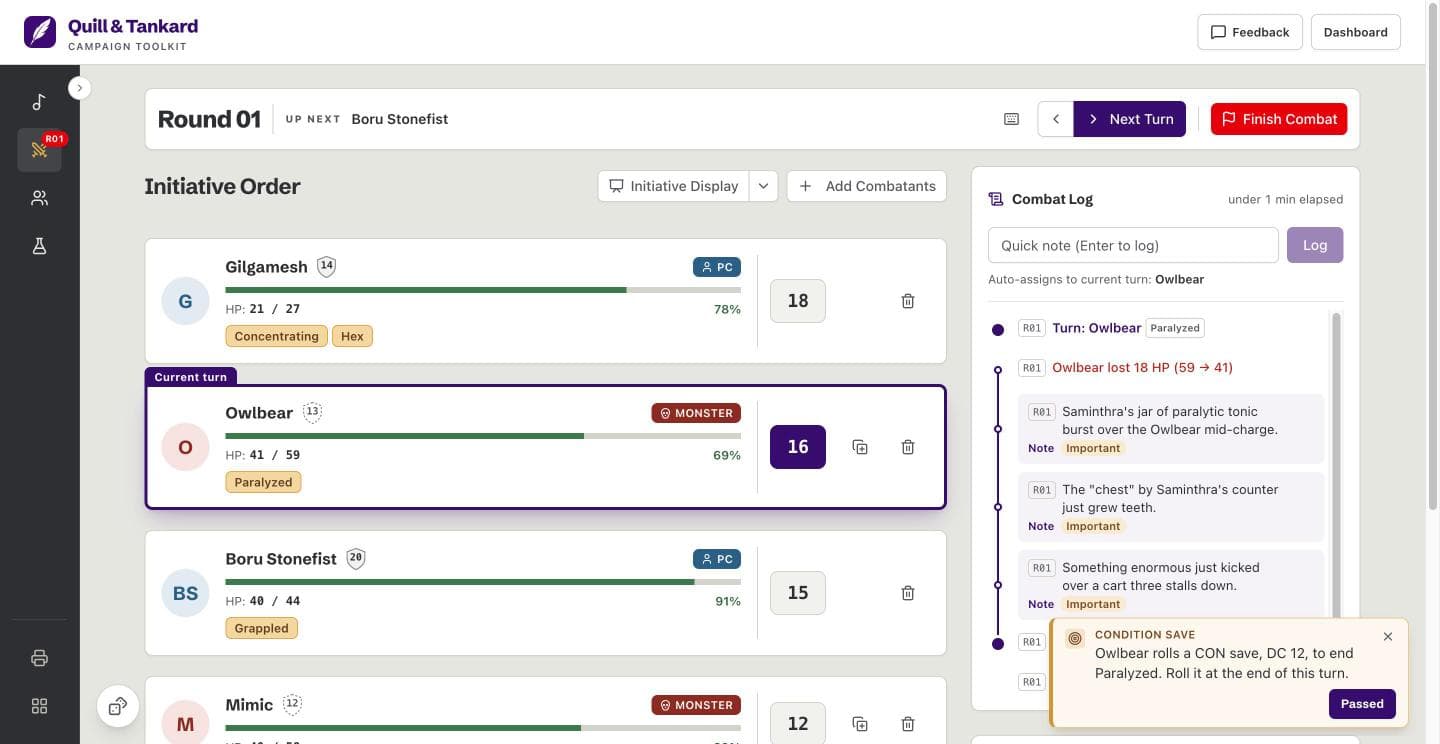
In a fight
- Initiative and turns
- “Roll opponents” rolls initiative for every NPC and monster. The order sorts itself, and “Next Turn” moves the fight along.
- HP and condition tags
- Track each combatant’s HP and condition tags. The tracker reminds you when a concentration save is due.
- A log of the fight
- Every turn, HP change, and note goes in the combat log, marked with its round.
Between fights
- NPC roster
- Keep your NPCs, PCs, and monsters in one roster, with their HP, armor class, and notes.
- Homebrew items
- Track the magic items you write: who owns each one, its charges, and its attunement.
- Soundboard
- Put YouTube links and audio files on hotkeys for ambience, music, and sound effects.
From this page to your table in three steps
Roll here
Pick dice, or type a roll such as 2d6+3. Then press Roll. You need no account and no campaign.
Open the toolkit
Press “Open the free toolkit”. The app opens your current campaign in the combat tracker, or makes your first campaign, with no account.
Roll during the session
Run the fight in the combat tracker. Open the same dice roller from any tool when your table needs a roll.
Questions
Is the dice roller free?
Yes, the dice roller is free, and so is the rest of the app. The combat tracker, roster, item tracker, soundboard, and map print are free too. There is no trial.
Do I need an account to roll?
No, you roll on this page with no account, no sign-up, and no campaign.
Which dice can I roll?
You can roll a d4, d6, d8, d10, d12, d20, or d100, and mix them in one roll. You can also type dice notation, such as 2d6+1d8+3. Typed dice go from d1 to d100, and one roll holds up to 100 dice.
Can I roll with advantage or disadvantage?
Yes, pick Advantage or Disadvantage, then roll a single d20. The dice roller rolls two d20s, keeps the higher or the lower, and shows both. Your modifier adds to the kept d20. A natural 20 or a natural 1 on the kept d20 gets a tag.
How does the dice roller pick a result?
Each die takes a number from your browser’s standard random number function. This is ordinary computer randomness, not a physical die. Nothing on the page weights or changes a result.
Are my rolls saved?
No, the page does not save your rolls. The roll log shows your rolls for this session only, and a reload or a closed tab clears it. Your browser keeps only your modifier and your advantage setting. “Saved in your browser” means your campaigns in the app.
Can I roll on a phone?
Yes, the dice roller fits a phone screen, with the Roll button under your thumb. The dice roller in the app works on a phone too.
What else does the app do?
It runs your campaign: initiative and combat, an NPC roster, homebrew items, and a soundboard. The same dice roller opens from every tool. Your campaigns are saved in your browser, with no account.