
Free initiative tracker for D&D
Sort the turn order, run turns and rounds, and show your players whose turn it is while monster HP stays hidden.
- Free
- No account needed
- Saved in your browser
What it tracks
Run the order
- Initiative order
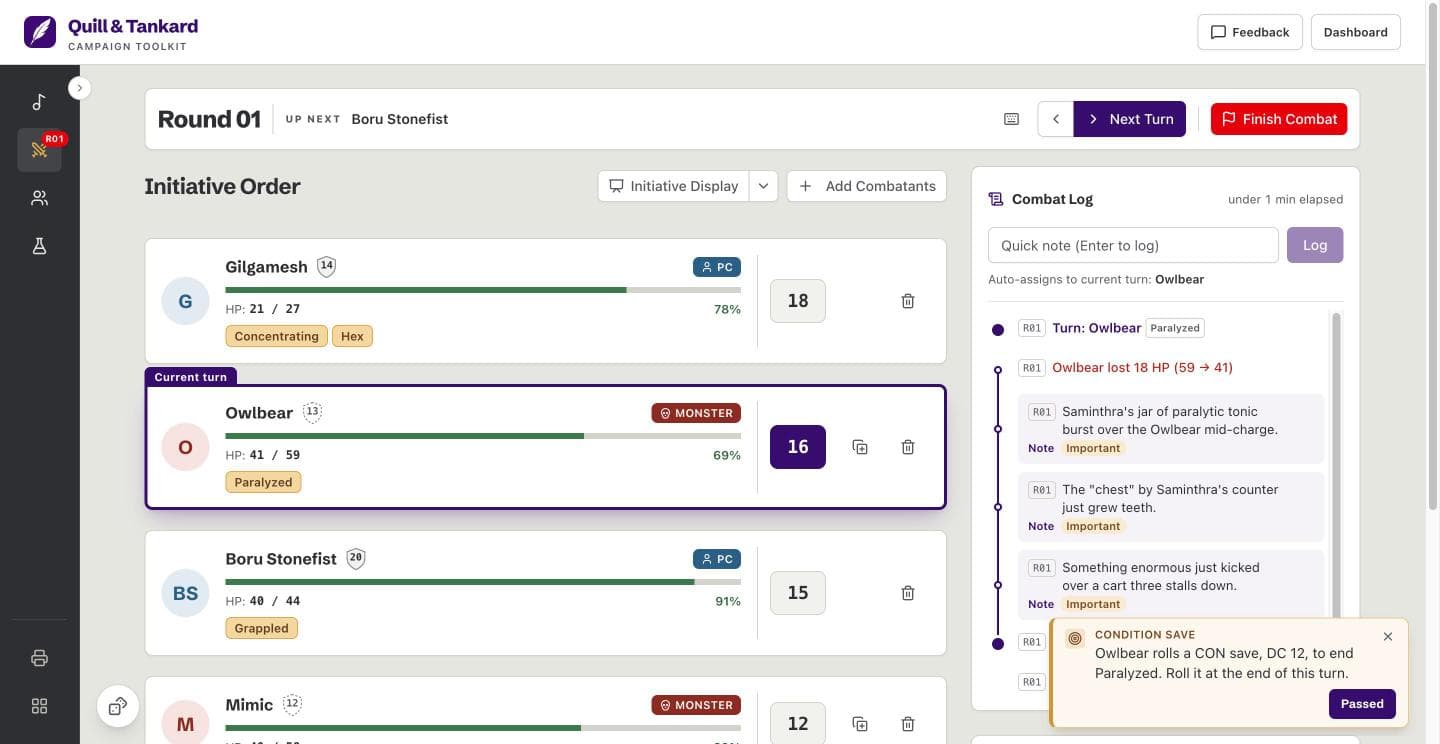
- Combatants sort from the highest initiative to the lowest. A combatant with no initiative waits at the bottom. Change an initiative mid-fight, and the order updates.
- Initiative rolls for opponents
- “Roll opponents” rolls a d20 plus the initiative modifier for every NPC and monster. You type in your players’ own rolls.
- Turns
- The tracker marks the current turn and shows who is up next. “Next Turn” moves down the order. The arrow button beside it goes back a turn if you moved too soon. On a laptop, the arrow keys do the same.
- Rounds
- Round 1 begins when you press “Start Combat”. A new round begins each time the order returns to the top. Every combat log entry carries its round.
Show your players
- Initiative display
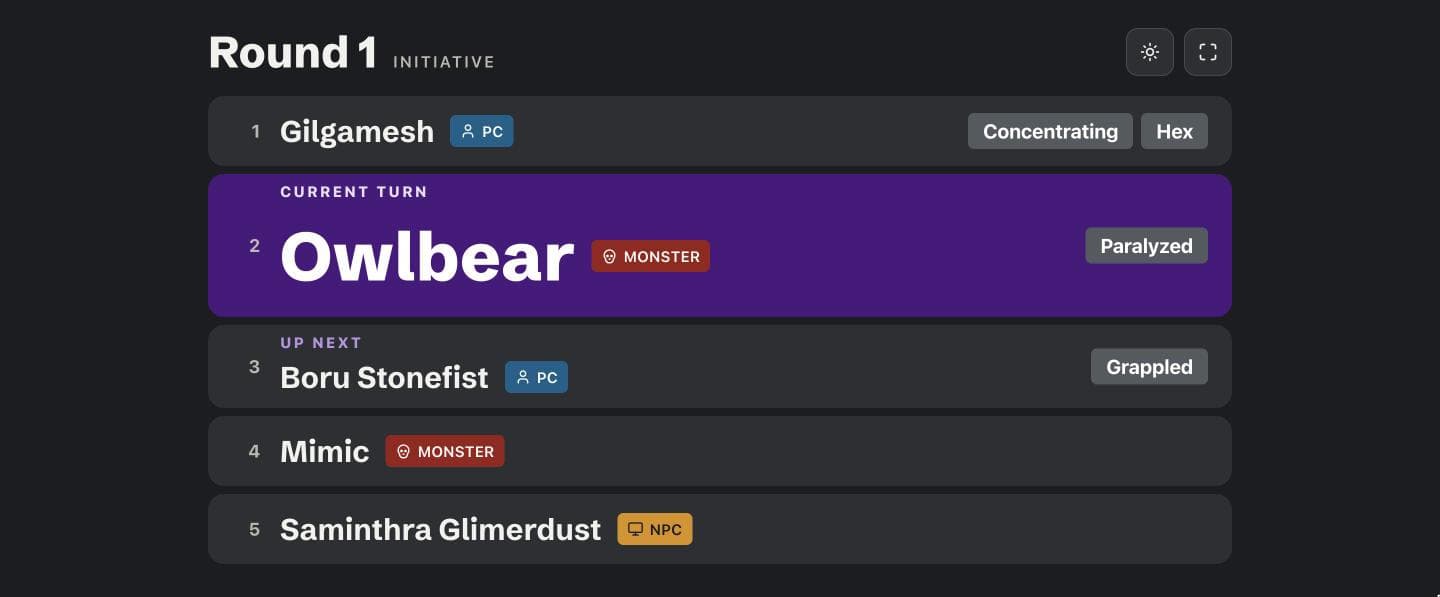
- Open a second window for your players and put it on a TV or a second monitor. It follows the fight as you run it: the round, the order, the current turn, who is up next, condition tags, and downed combatants. When HP changes, the row shows damage or healing, never the amount.
- Monster HP hidden from players
- The initiative display never shows HP amounts, initiative numbers, notes, spell save DCs, condition saves, or lair effects. It never shows a PC’s armor class. A monster’s or NPC’s armor class appears after its third HP loss, or when you reveal it. You can turn that off.
Keep the fight straight
- HP and downed combatants
- Change HP as damage and healing land. A combatant at 0 HP is downed but keeps its place in the order, so its turn still comes up.
- Condition tags and saves
- Tag a combatant with a condition such as “Prone” or “Blessed”, and it stays on its row turn after turn. The tracker reminds you of a concentration save when a concentrating combatant loses HP, and of a condition save on that combatant’s turn.
- Combat log
- Each turn, HP change, and note goes in the log under its round, so you can check who did what before you call the next turn.
Initiative display
Put the order on a second monitor or display screen.
Players see
- The round and the order
- The current turn and who is up next
- Condition tags
- Downed combatants
Players never see
- HP amounts
- Initiative numbers
- Notes and spell save DCs
- A PC’s armor class
How it works
Add combatants
Add PCs, NPCs, and monsters from your campaign roster. To try the tracker first, press “Add sample encounter”.
Set initiative
Type in your players’ rolls, then press “Roll opponents” for everyone else.
Start combat
Press “Start Combat”, then “Next Turn” as each turn ends. Press “Initiative Display” when your players need to see the order.
Questions
What is initiative in D&D?
Initiative is the roll that sets the turn order in a fight. Each creature rolls a d20 and adds its initiative modifier, which is usually its DEX modifier. The highest total acts first. Turns then repeat in that order, one round at a time, until the fight ends.
Can players see the initiative order?
Yes, on the initiative display, a second window you show on a TV or a second monitor. You open it from the tracker in your own browser, and it follows the fight as you run it. Players do not open it on their own phones. It never shows HP amounts or initiative numbers.
Do I need an account?
No, there is nothing to sign up for. Open the tracker and add your first combatants.
Where is my data saved?
Your campaigns are saved in your browser, on your device. There is no copy on a server. Clearing your browser data deletes your campaigns, and another browser or device cannot see them. Export a backup of any campaign from the dashboard to keep a copy.
Is it free?
Yes, the initiative tracker is free. So are the roster, items, soundboard, dice roller, and map print. There is no trial and no account.
Does it work on a phone or a tablet?
Yes, it runs in a phone or tablet browser, but it is built for a laptop at the table. The layout fits a small screen. The initiative display needs a second screen, so a phone does not offer it.